Grid Time Trackerfor your menu bar
Finally, a time tracker that looks as good as the rest of your Mac. Minimal, native, and built for freelancers who care about their craft.
What makes Grid different
Built for how you actually work: fast, focused, and out of your way.
Always One Click Away
Lives in your menu bar, not buried in your dock. Start tracking instantly from any app without breaking your flow.
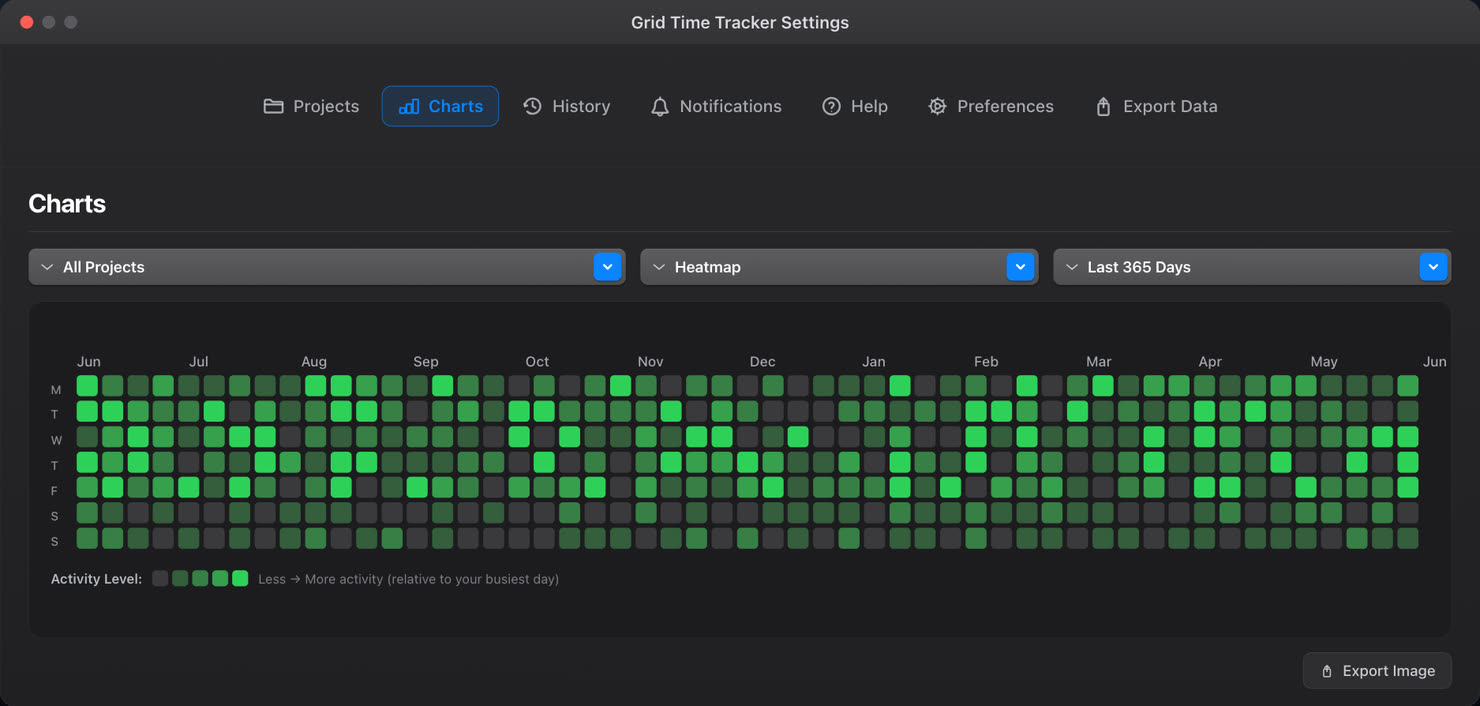
GitHub-Style Heatmaps
Visualize your work patterns with beautiful heatmaps and pie charts. Six color themes to match your style.
Full Session History
Browse, search, and filter every tracked session. Edit past entries, move activities between projects, never lose data.
Plus everything else you need
Manual time entry
Add forgotten sessions with custom times
Live duration display
Watch elapsed time to the second while tracking
Projects & activities
Two-tier organization, unlimited of each
Move activities
Reorganize activities between projects anytime
Time preferences
12/24 hour clock and timezone settings
Trash & recovery
7, 30, or 90 day retention options
Beautiful analytics
See your work patterns at a glance with GitHub-style heatmaps, bar charts, and pie charts. Click the tabs to explore each view.
Activity Heatmap
GitHub-style visualization showing your work patterns over time
Bar & Pie Charts
Monthly bar charts and project breakdowns with percentage splits
Flexible Filters
Visualize any project or activity for any time period you choose
{
  "totalHours": "5.83",
  "sessions": [
    {
      "project": "Admin",
      "activity": "Invoicing",
      "duration": "1.00",
      "date": "2024-12-17"
    },
    {
      "project": "Freelancing",
      "activity": "Client #1",
      "duration": "1.25",
      "date": "2024-12-17"
    }
  ]
}
Export your way
Three formats, three report types, endless flexibility. Filter by project or activity, and choose decimal hours or time format. Exports reflect exact recorded durations.
Follows your macOS theme
Light, Dark, or System. Grid automatically adapts to your macOS appearance preferences.
Try it now: click to switch themes
No nonsense, just time tracking
Built for freelancers and indie makers who want to get things done, not manage another SaaS tool.
No account required
Download and start tracking immediately. No signup, no email needed.
Data stays on your Mac
Everything stored locally. We never see your entries or project names.
Works completely offline
No internet needed. Track time on planes, in cafes, anywhere you work.
Lightweight & fast
Minimal system resources. No bloat, no background syncing, no lag.
Frequently asked questions
Everything you need to know about Grid Time Tracker.
Simple, transparent pricing
Every plan includes every feature. Start with a 7-day free trial. No credit card required.
Everything included
Annual
Best value for regular users. About $2.50/month.
Lifetime
Pay once, use forever. All future updates included.
All purchases via the Mac App Store • macOS 14.0+ (Sonoma) • Cancel anytime
Start tracking smarter
Join freelancers, agencies, and professionals who track their time with precision.
Get Started